.BwweyAj6_ZJlM9M.webp)
Why are certain categories not being indexed? A faster way to investigate and resolve the issue
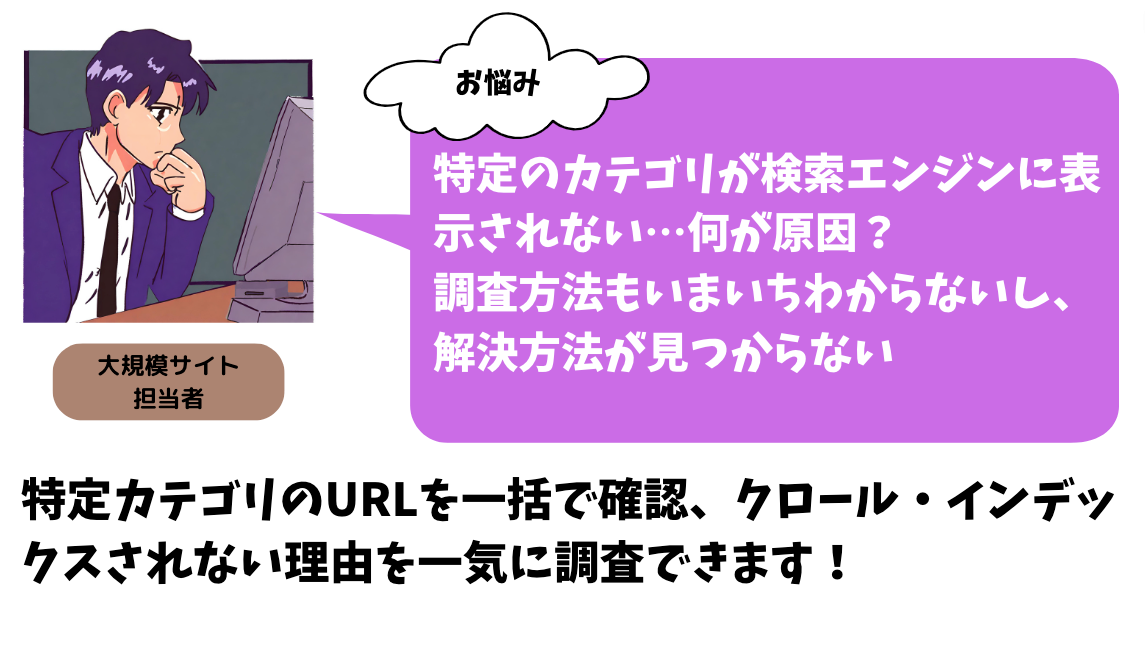
The complexity of large-site SEO operations
On a large site, SEO teams need to keep track of category pages, product pages, listing pages, campaign pages, and many other page types at the same time. Understanding which groups are crawled, indexed, or failing is both important and time-consuming.
The larger the site grows, the harder it becomes to inspect each page or category manually. That makes grouped monitoring essential.
Conventional approaches and their limits
Google Search Console
Search Console is useful, but manually checking URLs one by one does not scale. It also has limits in real-time visibility and detailed grouped analysis.
URL Inspection API
The API can process large sets of URLs and retrieve detailed data, but it requires engineering work to build and maintain the surrounding system.
Index Worker makes grouped investigation easier
Index Worker uses the same inspection capability to make large-scale investigations operational for SEO teams. Instead of relying on sampling, teams can inspect the exact URL groups they care about and review their crawl and index state in detail.
How teams use Index Worker
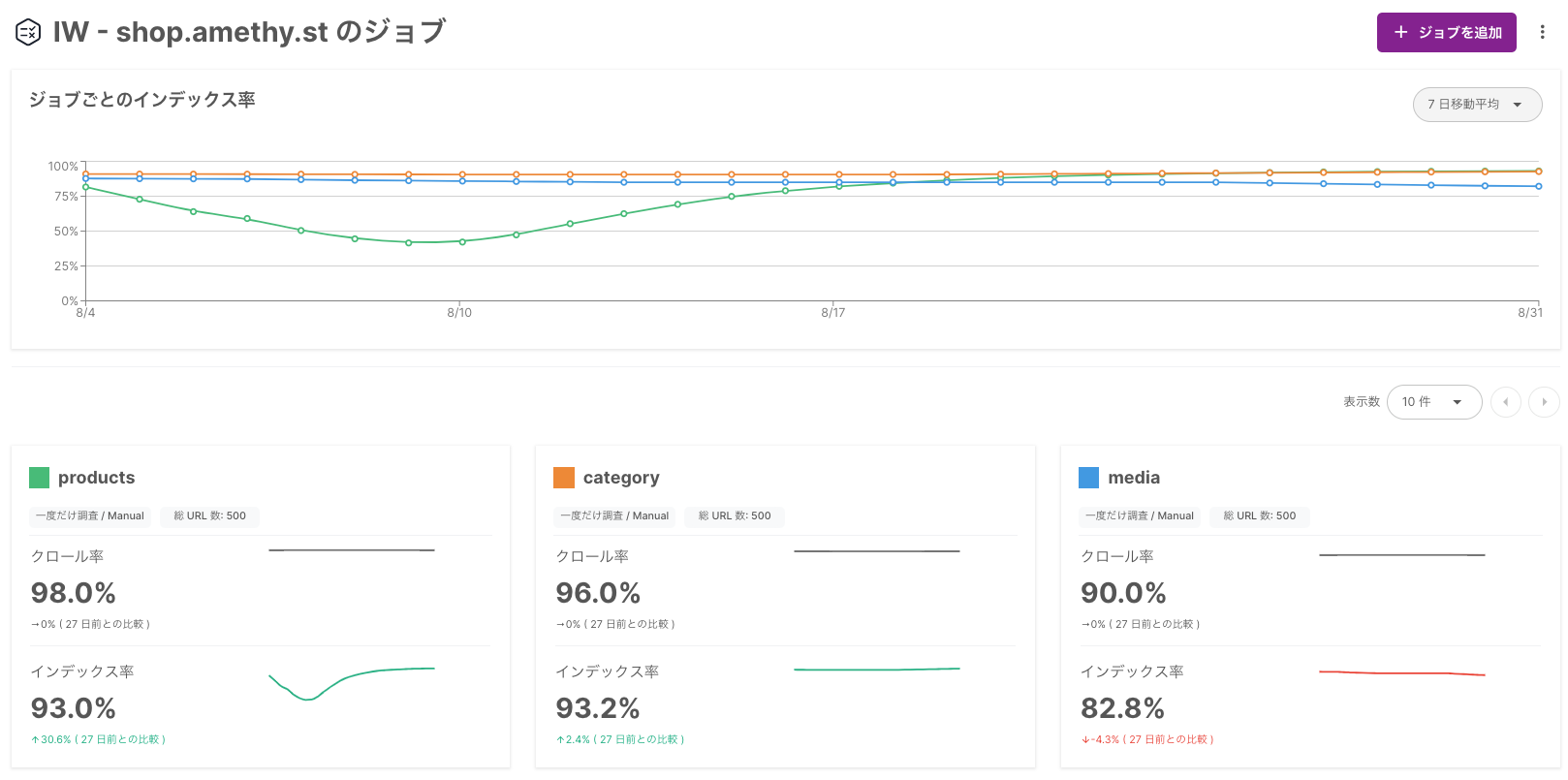
- Create jobs for the categories or arbitrary groups you want to inspect
- Show those jobs in a dashboard so the current status is visible at a glance
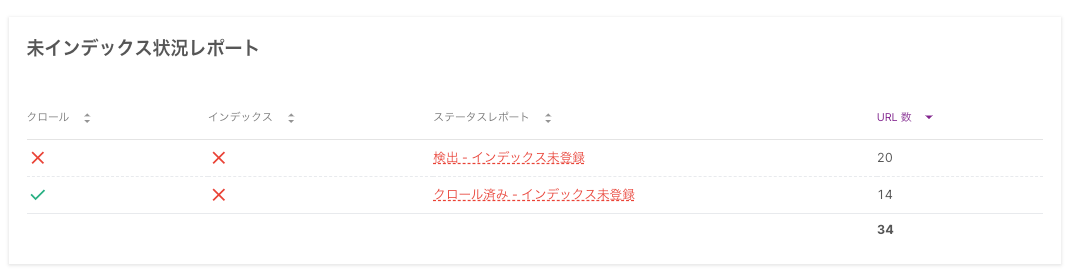
Reasons for non-indexing are visible quickly
Teams can immediately see how many URLs fall into each problematic status.
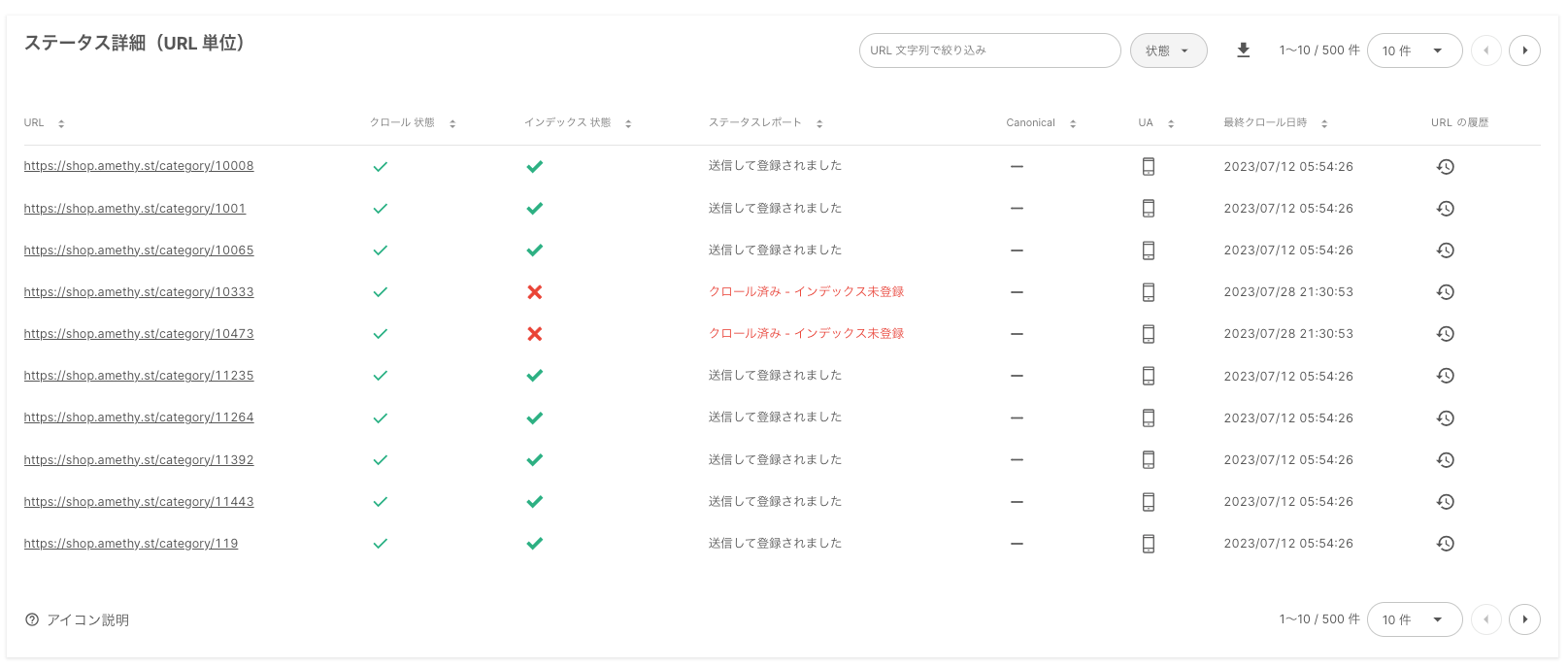
Investigate the details
Detailed pages show why pages were not crawled or indexed, allow filtering by URL pattern, and expose the history of individual URLs.
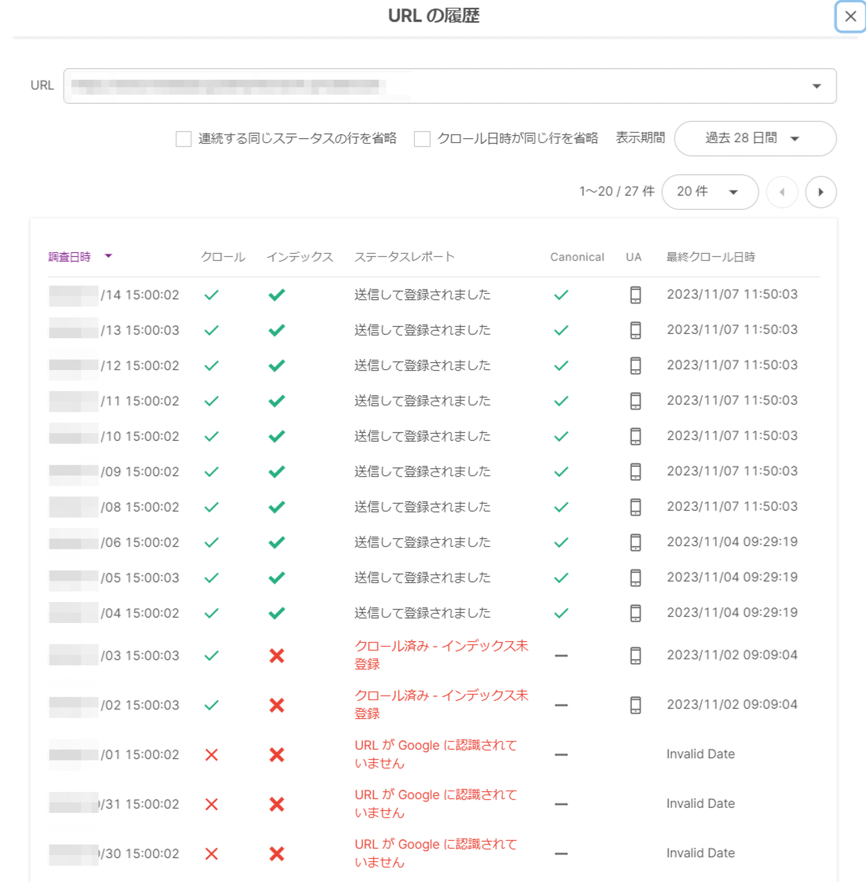
Review URL history
The history view shows how the state of a URL has changed across repeated checks.
Choose the inspection method that fits the problem
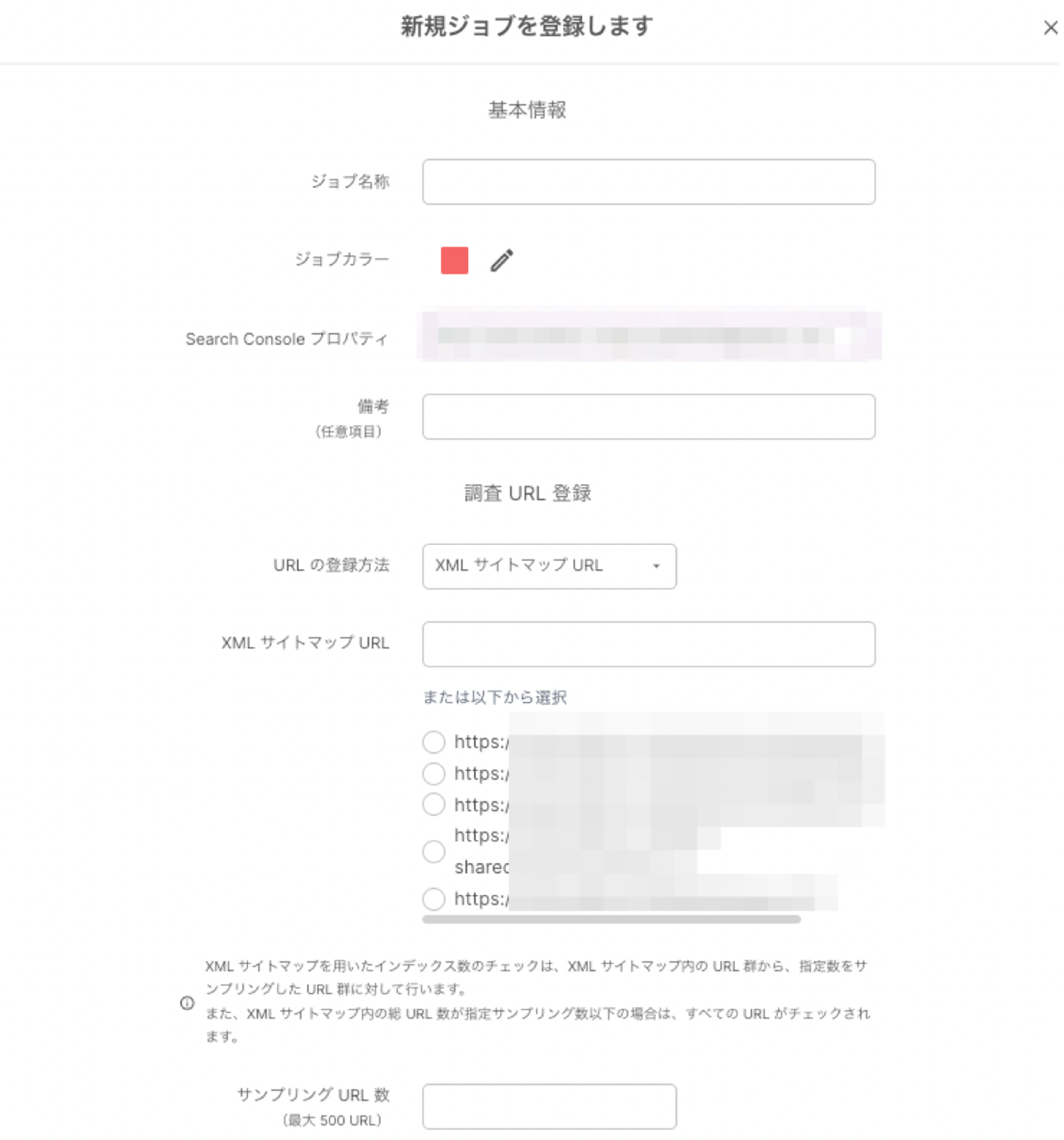
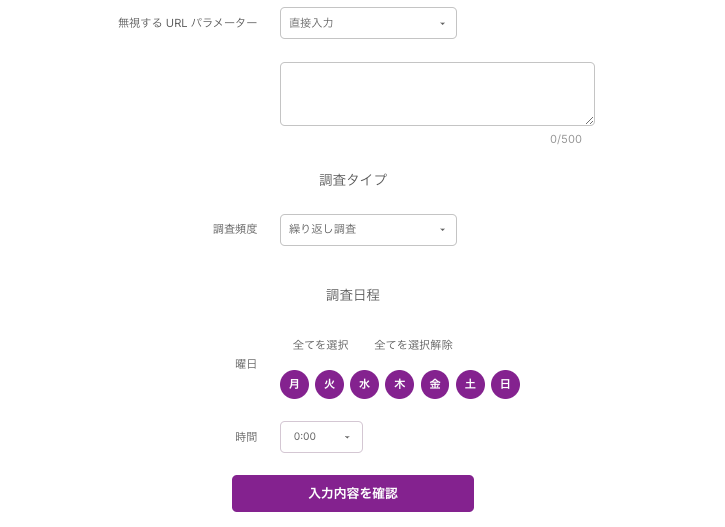
- Use XML sitemaps or RSS feeds and sample a chosen number of URLs
- Paste directories or newly published URL sets directly
- Schedule recurring checks for ongoing monitoring
Example scenarios
- Verify whether newly added product pages are indexed quickly enough
- Monitor whether campaign landing pages are crawled and indexed correctly during the active period
- Review the health of category pages on a recurring basis
- Confirm whether new blog posts or news releases are being registered by search engines
- Audit existing pages for crawl errors or redirect issues after a site renewal
Summary
For large sites, grouped indexing analysis is a practical necessity. Index Worker helps teams move from slow manual inspection to a faster workflow where they can see the reason breakdown, investigate detailed pages, and monitor the right URL groups continuously.
Contact us
If you would like a more detailed explanation or documents about Amethyst, please contact us using the form below. A member of our team will follow up based on your message.